
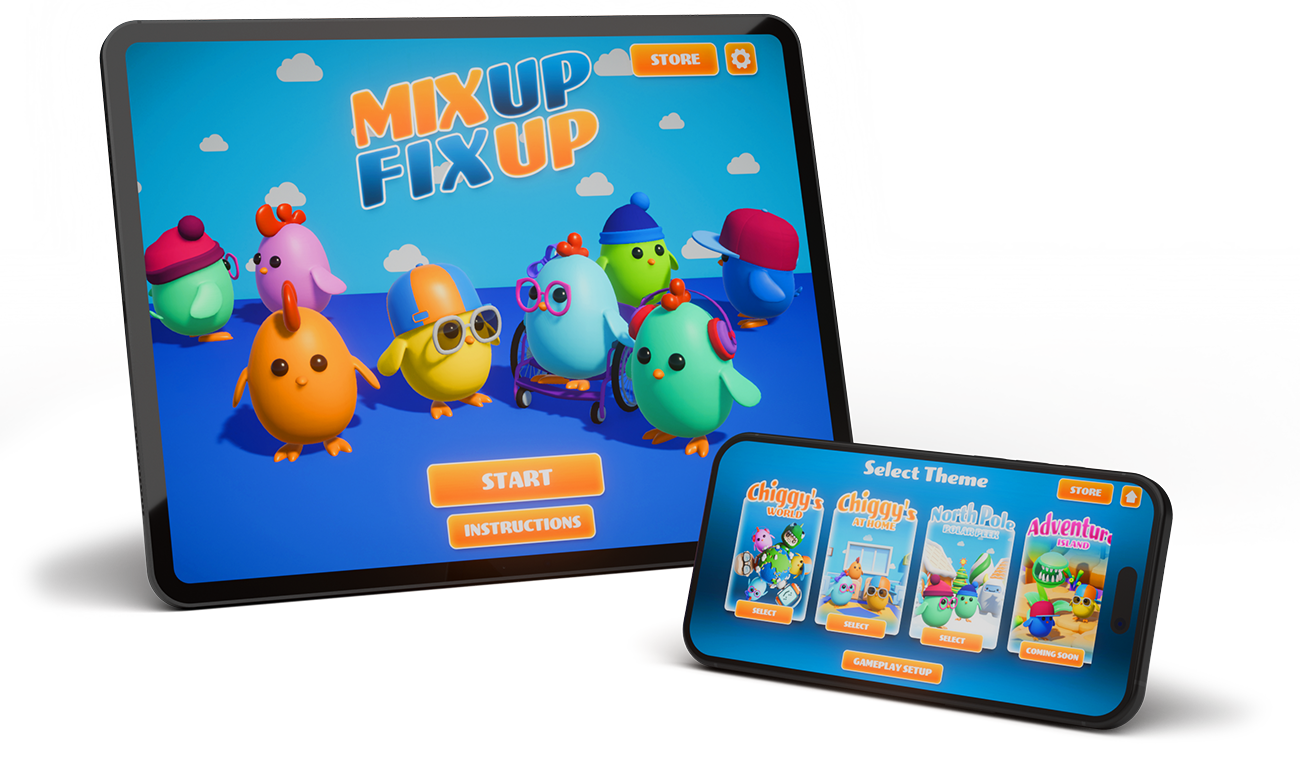
MixUp FixUp
Inclusive Design Details
Our Commitment
At 1UP Studio, accessible design is part of our creation process right from the start. We crafted MixUp FixUp to support diverse needs, processing styles, and preferences.
-

Visual Features
Adjustable contrast, saturation, and hue
Color filter preset
Simple, clear user interface
No color-only information
Camera comfort
Visual load control
-

Auditory Features
Multiple volume controls
No sound-only information
Predictable soundscape
-

Cognitive Features
Can remove time constraints
Adjustable difficulty
Predictable layouts and gameplay
Consistent game loop - see, remember, create
-

Gameplay Features
Adjust sensory input levels
Range of difficulty levels and settings
Pause anytime
Playable with touch only
Visual Features
Customizable Color Controls
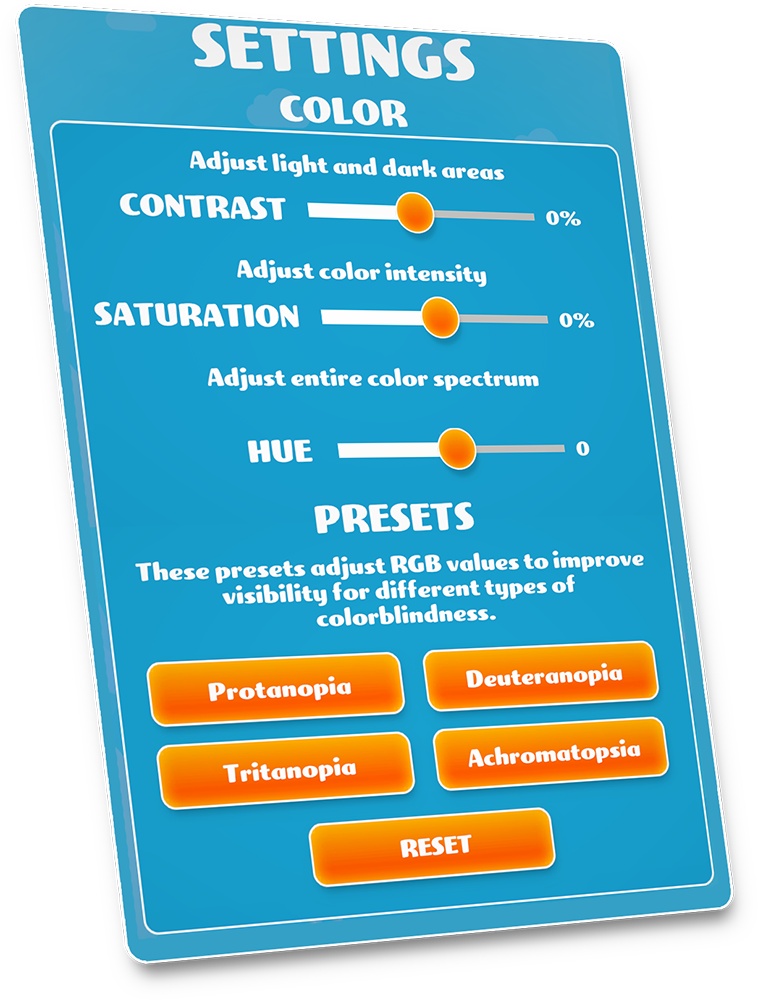
Players can use a sliding scale to adjust contrast, saturation, and hue to tailor the scene to their visual preferences These settings are designed to reduce visual load and increase clarity for many players, including those with sensitivities or low-vision needs.
Color Differences Presets
This game includes presets for several common forms of color vision deficiency, including: deuteranopia, protanopia, tritanopia, and support settings for achromatopsia (total color vision absence). These presets help ensure that important elements remain visible and distinguishable across different forms of color vision.
No Color-Only Information
We never rely on color alone to communicate essential information. Key elements are reinforced with shapes, outlines, icons, or positional cues so players can participate regardless of how they perceive color.
Visual Load and Distraction Control
Players can customize their visual experience to minimize overstimulation and distraction:
Stationary Clutter: Players can choose between minimal, moderate, and maximum levels of non-essential, stationary visual distractions in the scene.
Animation Toggle: Players can also toggle on and off environmental movement, such as flying paper airplanes and weather effects, to maintain focus on the core task.

Auditory Features
Predictable Soundscapes
We avoid “sudden-onset" noises or high-frequency alerts that can trigger a startle response.
Playable With No Sound
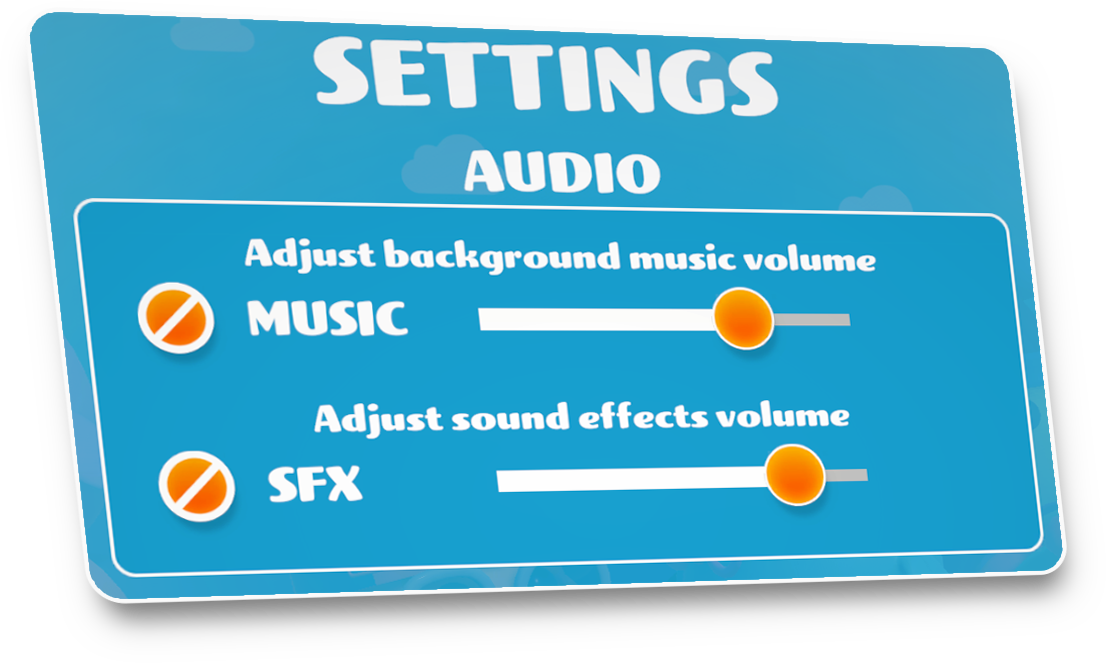
For players with auditory processing sensitivities or those who are easily overstimulated, background music and ambient sound effects can be toggled off. This creates a "silent playspace" where the focus remains purely on the game itself with no auditory distractions.
No Sound-Only Information
We never rely on sound alone to communicate key information. Key elements are reinforced with shapes, outlines, icons, or positional cues so players can participate regardless of how they perceive sound.
Cognitive Features
Simple Gameplay
The game has three distinct, predictable phases, “See-Remember-Create".
Scalable Memory Targets
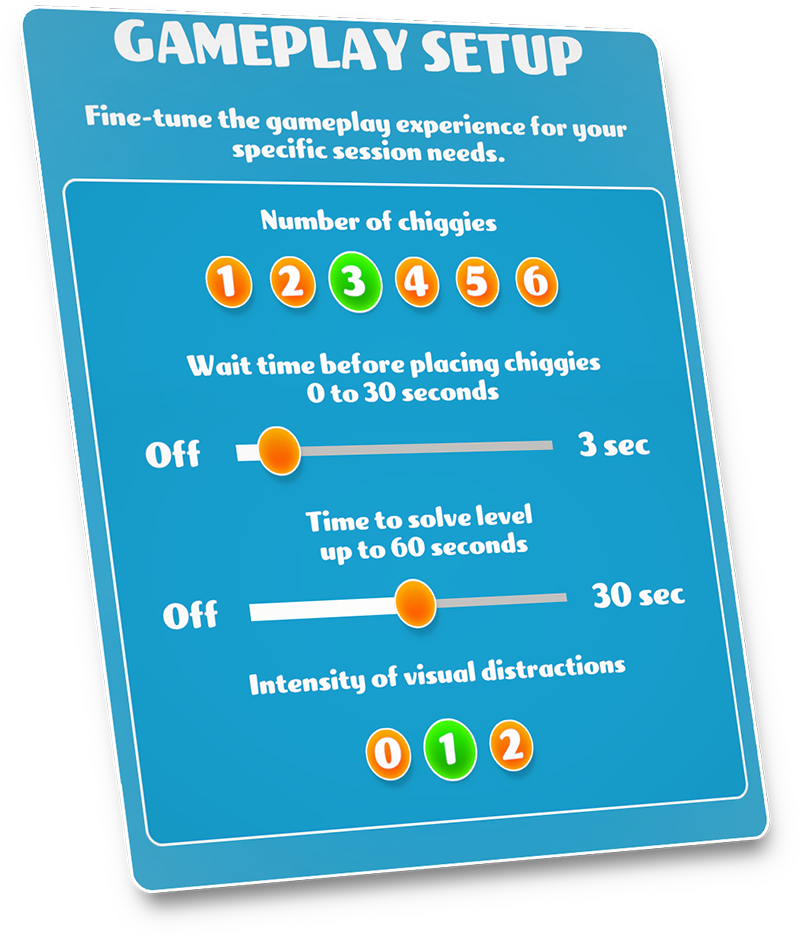
Adjust the number of items in a scene from 1 to 6. This allows a player to master simple recall before advancing to complex visual patterns.
Customizable Pacing
The game has three distinct, predictable phases, “See-Remember-Create". Control how long a scene must be remembered and how long a player has to recreate it. There is the option for unlimited time.
Clean User Interface
We’ve minimized pop-ups and cluttered menus. The interface is intuitive, ensuring the player’s energy is spent on the game, not on navigating the app.
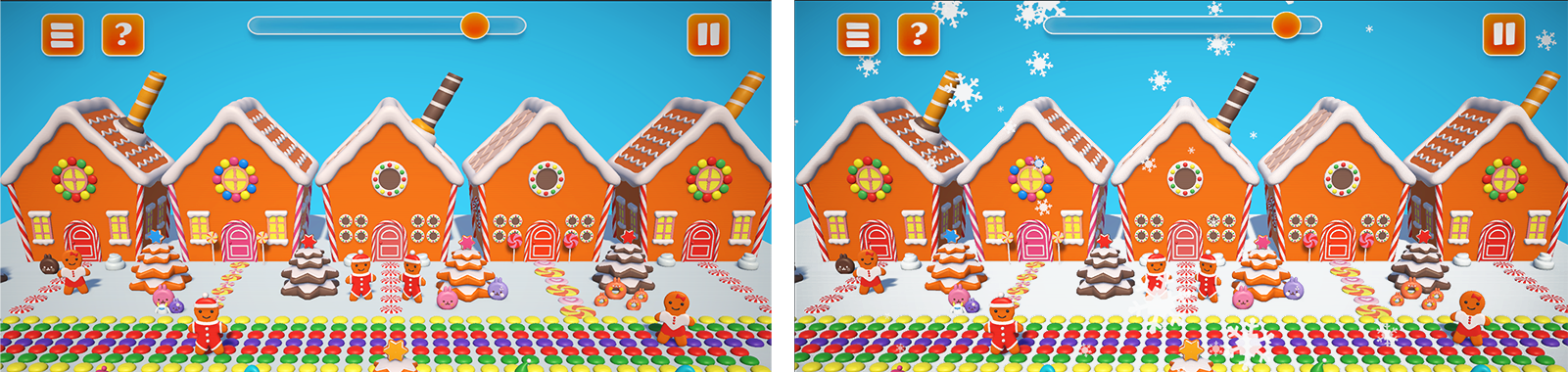
An example of a level with and without snow animations turned on.
1UP Studio is in the lab crafting playful experiences.
Have questions or ideas?
Drop us a line below—we’d love to hear from you!